Built for small businesses · Multi-currency accounting
Simple accounting. For your small business.
Manage your books, multi-currency transactions and financial reports in one workspace. Record business activity, review the ledger and export Excel working papers for your accountant.
Follow the whole business cycle: purchase stock, sell it, collect payment, reconcile the bank, and close the year. Every posting connects back to your ledger and financial statements.
Reports
Custom reports you can actually design.
Build a balance sheet, income statement, statement of investment, cash-flow statement, or a layout of your own. Filter by GL and transaction type, add calculations, hide zeros, place the title and period, then print or save a PDF from the live preview.
Journal
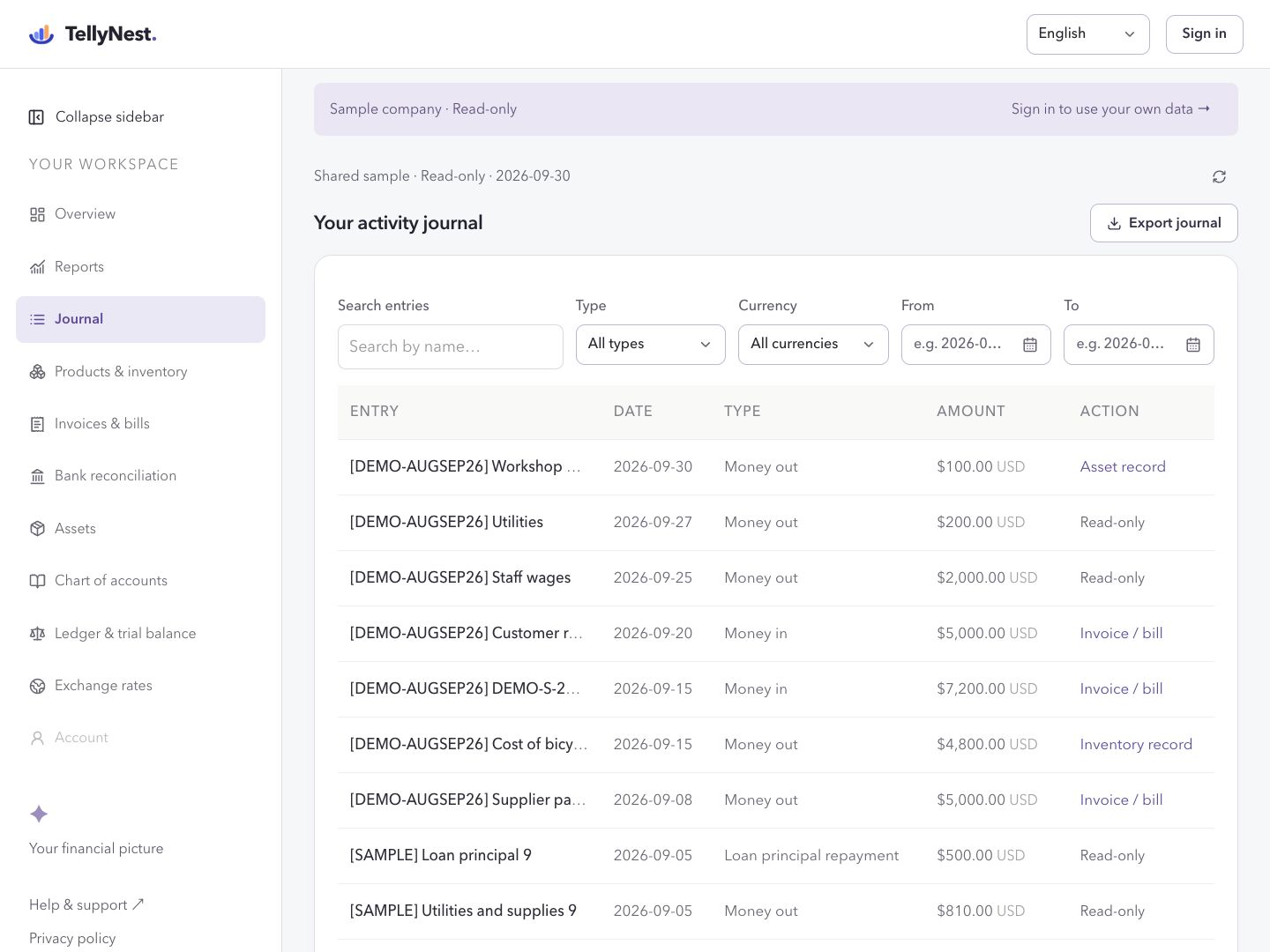
A full journal — not just a list of amounts.
Record automatic postings, keep unclassified drafts, or enter complete multi-line debit and credit entries. Both sides must balance in the same currency. Filter, page through history, and open the same voucher from the ledger.
Invoices & payments
Manage customers and suppliers, post invoices and bills, record partial payments, and review receivables and payables aging.
Products & serial inventory
Track each unit by serial number. Link purchase receipts and sales dispatches to invoices, inventory GL and cost of goods sold.
Bank reconciliation
Import CSV or Excel statements, match recorded transactions, and review missing movements or possible duplicates.
Future-dated entries
Record tomorrow’s activity today. Post at the date you choose and include it only in reports that reach that date.
Year-end closing
Set a fiscal year for each book. Preview profit transfers to retained earnings, close the year, and reopen with an audit trail.
Chart of accounts
Every book has its own chart. Add posting accounts, keep system accounts, and archive what you no longer use.
Trial balance & ledger
Read opening, movement and closing balances. Drill into an account ledger with original amounts, frozen FX and reversals.
Asset register
Register equipment, post monthly depreciation and quarterly revaluations. Generated vouchers stay linked in the journal.
Transaction types
Create named types that inherit an accounting behavior, then set the default debit and credit accounts for the current book.
Multi-currency bookkeeping
Record in the currency you used. Display currency is for viewing. Missing historical rates stay missing — never invented as zero.
Excel and print
Export the journal, trial balance, chart, assets and reports. Custom statements print as a clean page from the browser.
Period locks
Owners can close books through a date so history cannot be quietly rewritten. Reopen with a reason when a correction is needed.
Read-only sample company
Open a shared fictional company to see a full journal, reports and assets before you write anything of your own.
A simple little ritual
Start with the journal. Finish with a report.
No bank connection needed. Record what happened, keep the chart tidy, then design the statement you want to read.
Use automatic posting, an unclassified draft, or a full debit and credit entry.
02
Keep the chart tidy
Give each book its accounts, and set default debit and credit GLs on your types.
03
Design the report
Choose the lines, calculations and layout. The live preview follows as you work.
04
Read the picture
Open the ledger, lock a closed period, or walk through the read-only sample first.
Before your first real entry
Know where your books live and what you can take with you.
Cloud storage and backups
Records are stored with Supabase in Tokyo, Japan. Signing out does not delete them. The workspace does not offer a full-account backup download or self-service point-in-time restore. Save regular exports; contact support about recovery before relying on it.
Exports you can keep
Download Excel working papers from supported journal, ledger, trial-balance, chart, asset and report screens. Print custom financial statements or save them as PDF. Exports are not a complete restorable copy of the account.
Regions and languages
The workspace supports English and Simplified Chinese, with a functional currency for each book. It provides general small-business bookkeeping, not a country-specific tax or payroll system. Confirm local recordkeeping and data-transfer requirements before using real business records.
What the workflows cover
Bank reconciliation uses uploaded CSV or .xlsx files and user-confirmed matches; there are no automatic bank feeds or money transfers. Inventory tracks serialized units, not a full warehouse or returns system. Tax filing and statutory certification are not included.
Current limited-time pricing. Subscriptions renew automatically; review the price and renewal terms at checkout. Annual web checkout is not yet available.
Start with one free business book.
Invoices. Inventory. Reconciliation. Year-end close. One connected set of books.
 TellyNest